Yes, you can redo the AI Session as many times as you want. First AI Session is free. After that, sessions are $25 each. The charge comes from your wallet balance when you start the session.
How to start a new session
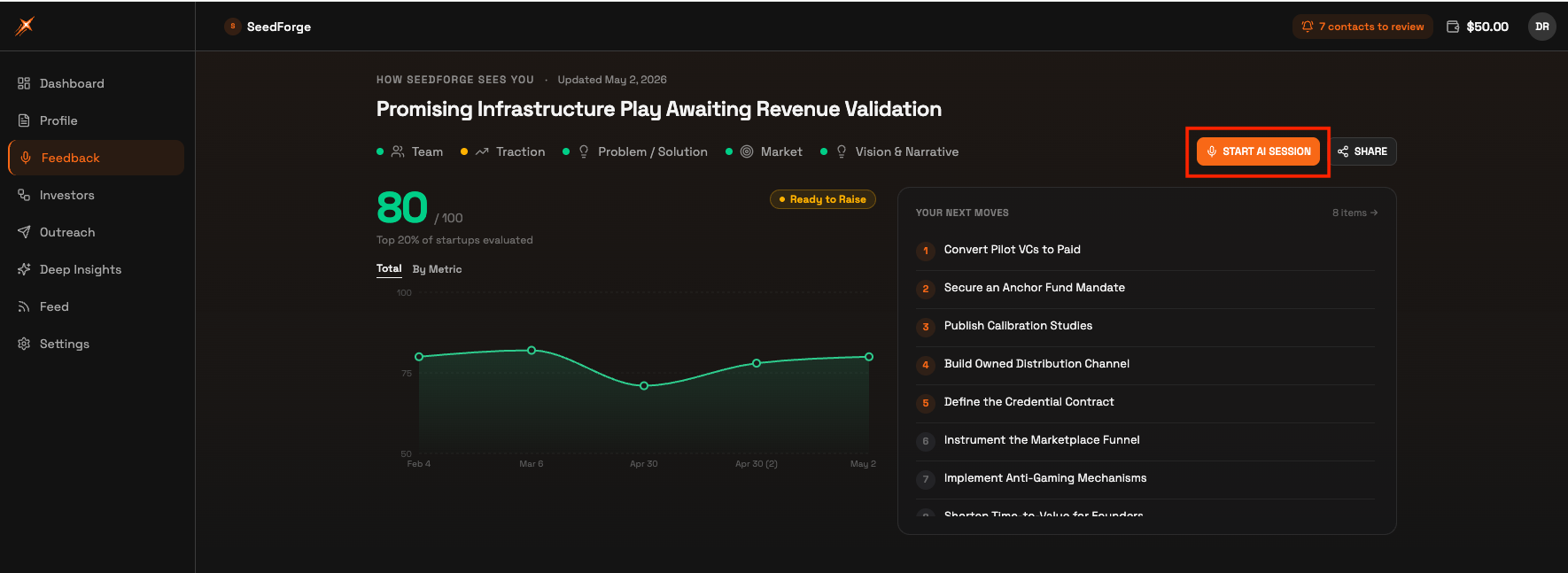
Open Feedback. Click Feedback in the left menu.
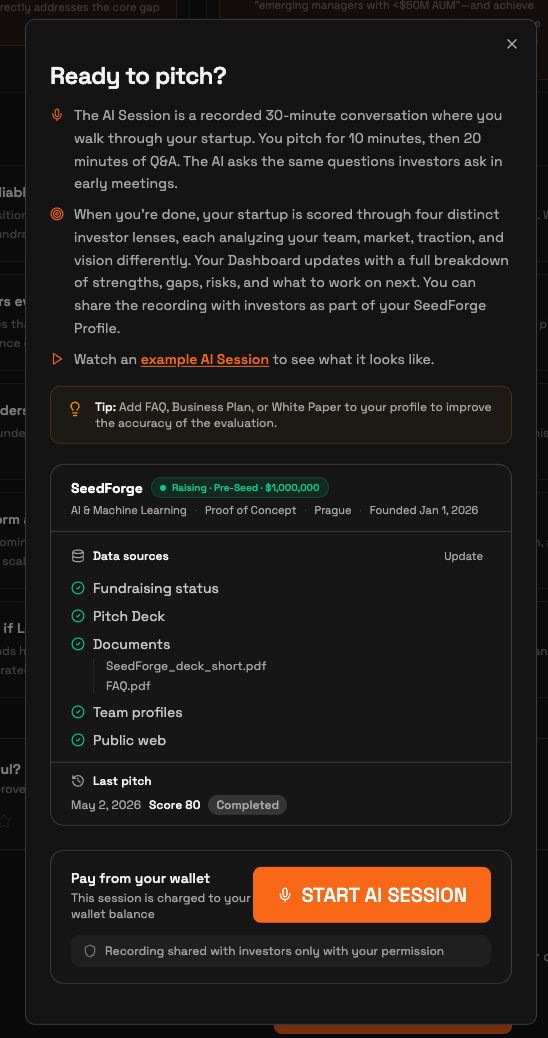
Click Start AI Session. A "Ready to pitch?" window opens, showing the data sources the AI will use and your last session's score.
Click START AI SESSION. From your second session onward, $25 is charged to your wallet balance at this point. The session runs like your first one.
What changes after a new session
The new session replaces your previous results everywhere. Your Dashboard updates with the new score, strengths, gaps, and risks. Anyone with your profile link sees the latest results only.
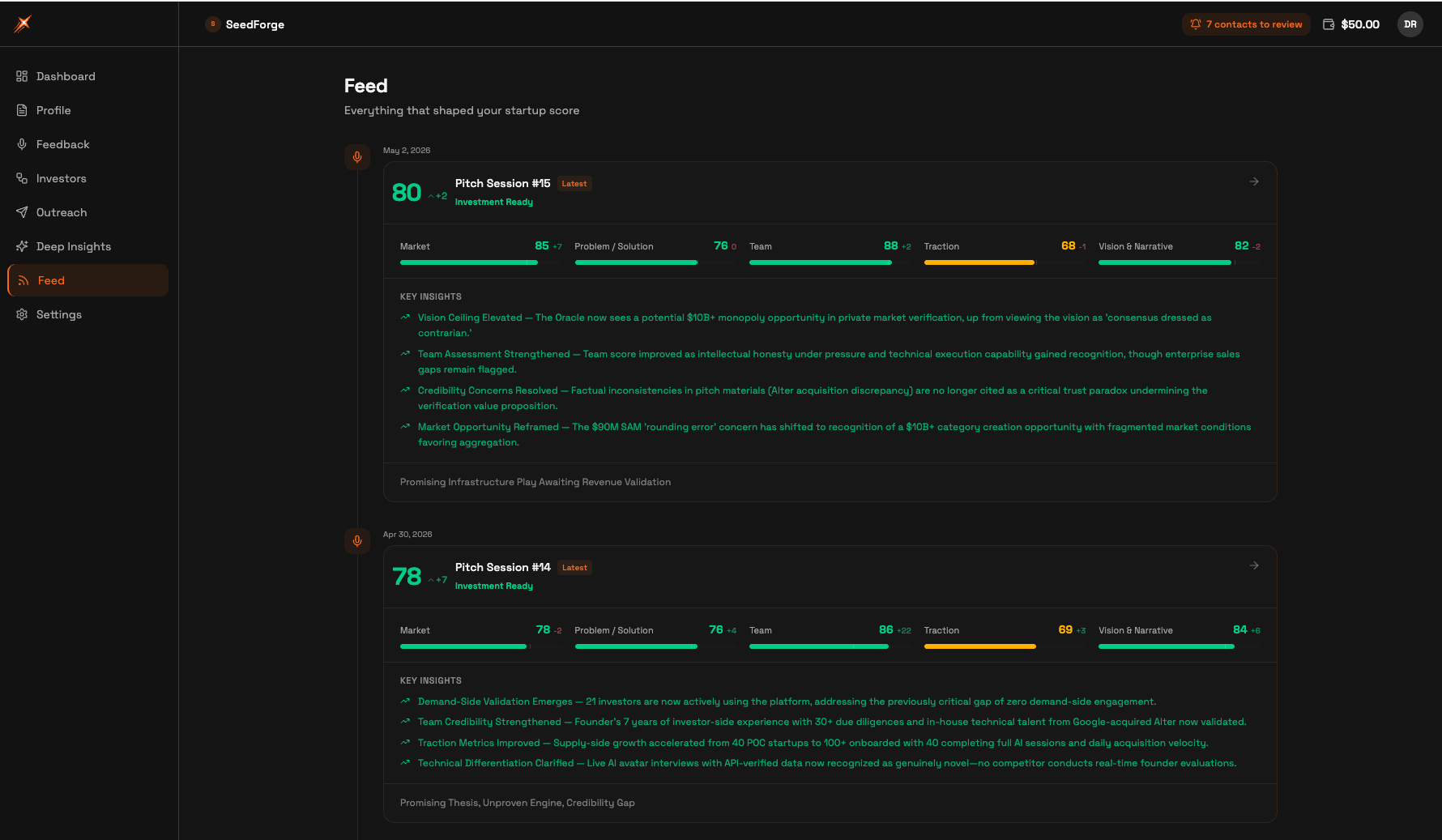
Your history stays in Feed. Click Feed in the left menu to see every past session, its score, how each dimension moved, and its key insights.
Note: a dropped session consumes the session credit, including your free first session. Make sure your internet connection is stable.
When is a redo worth it
Run a new session after a pivot, a period of growth, or as a monthly refresh while you talk to investors. There is no cap on the number of sessions and no waiting period between them.
Quick answers
How much does it cost to redo the AI Session?
First AI Session is free. After that, sessions are $25 each. The charge comes from your wallet balance when you start.
Do investors see my old session results?
Investors who open your profile link see only your latest results. Past sessions stay visible to you in Feed.
What happens if my session disconnects halfway?
A dropped session consumes the session credit, including the free first session. Start with a stable internet connection.