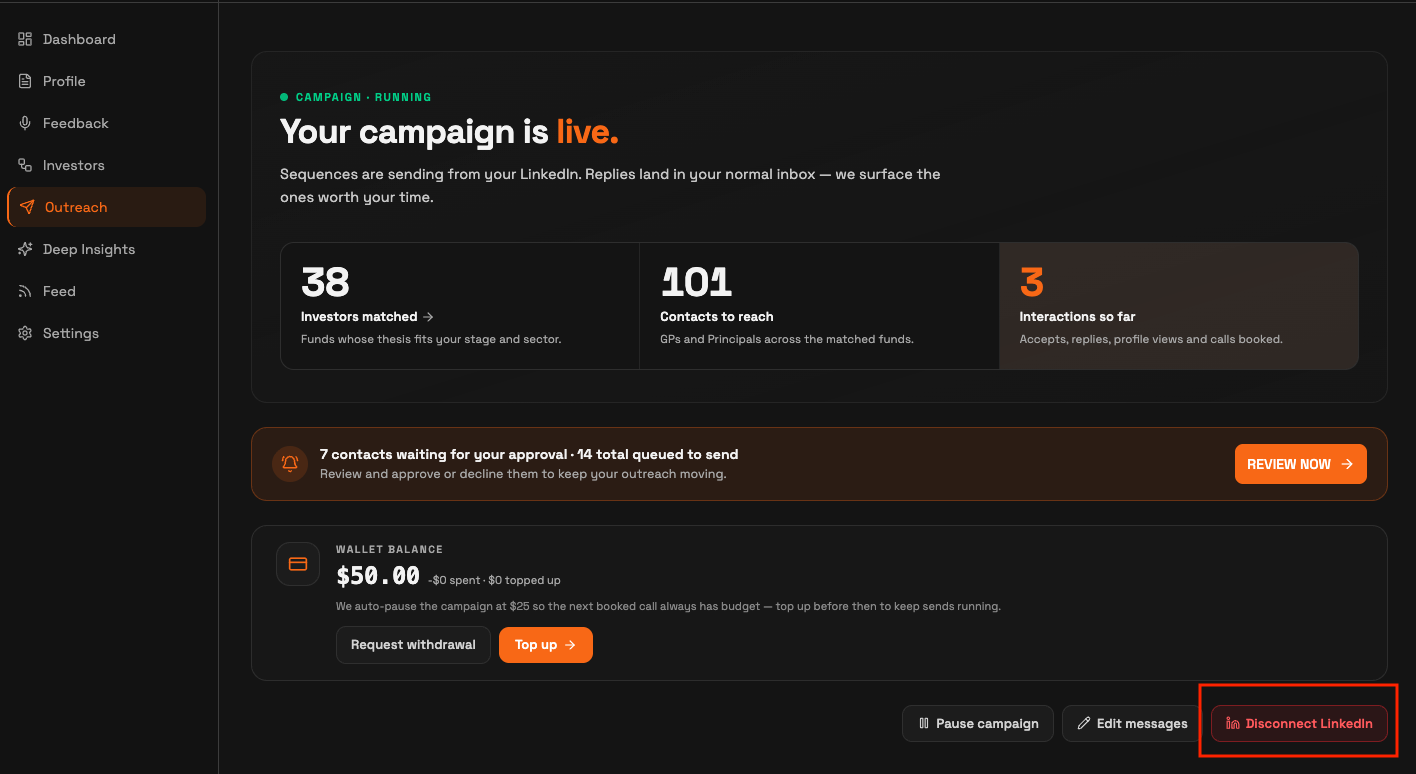
You disconnect your LinkedIn account from the Outreach page. Click Disconnect LinkedIn at the bottom right, then click DISCONNECT in the confirmation dialog. This permanently deletes your current campaign and stops all activity on your account right away.
Disconnect your account
Open Outreach. In the left side menu, click Outreach.
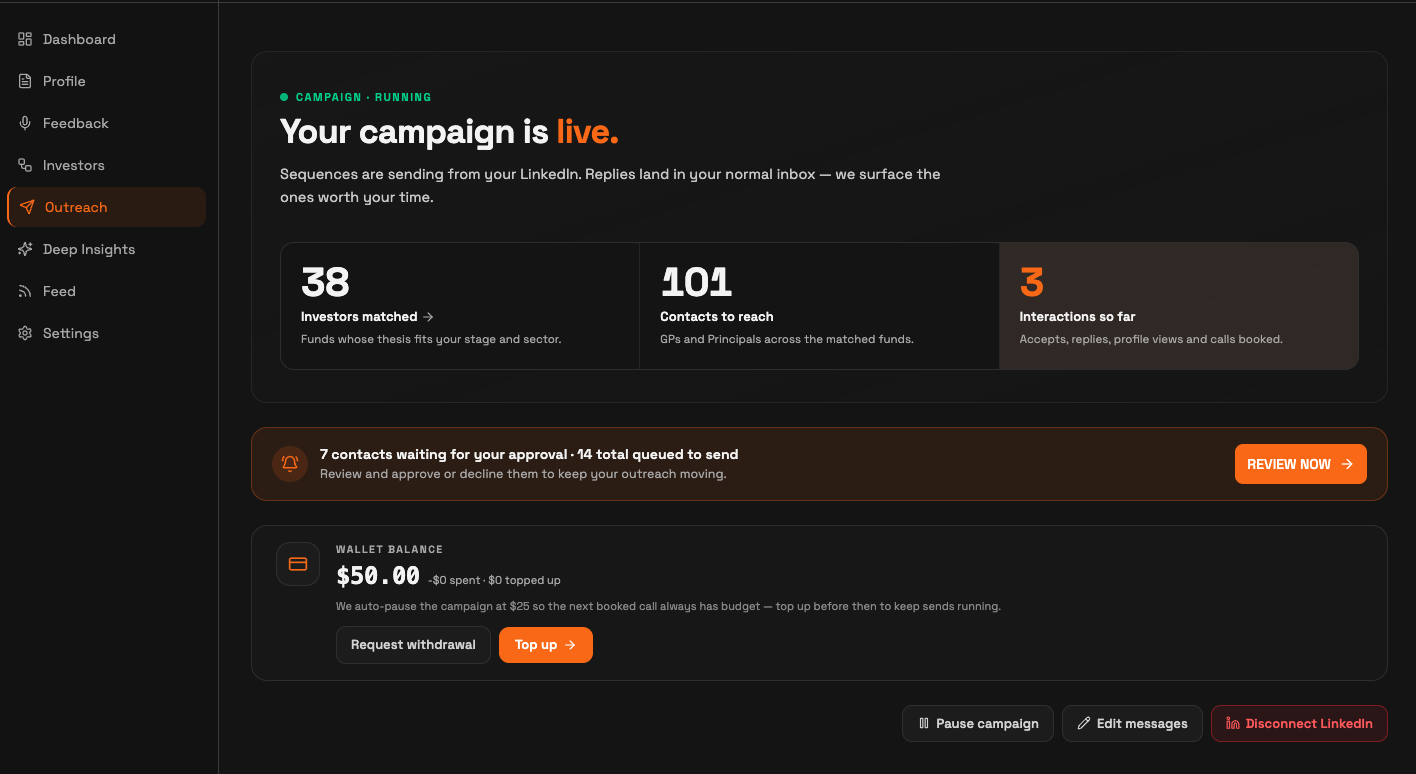
Click Disconnect LinkedIn. Find it at the bottom right, next to Pause campaign and Edit messages. A confirmation dialog opens.
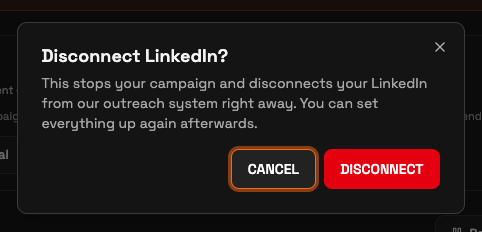
Confirm. In the Disconnect LinkedIn? dialog, click DISCONNECT. To keep your campaign, click CANCEL instead.
What happens when you disconnect
Your current campaign is deleted permanently and cannot be recovered. SeedForge stops every action on your account the moment you confirm: profile visits, post likes, connection requests, and messages.
Conversations you already started stay in your LinkedIn inbox, so you keep talking to those investors yourself. SeedForge no longer withdraws the connection requests that sit unaccepted, because that only runs while connected.
Your wallet balance stays on your account after you disconnect. To get it back, use Request withdrawal.
Note: Disconnecting stops new outcome charges (a booked call or a warm intro offered). Profile views are always free.
Note: You can reconnect the same LinkedIn account later, but you set up a new campaign from scratch. Nothing from the deleted campaign comes back.
Quick answers
Does disconnecting LinkedIn delete my campaign?
Yes. Disconnecting permanently deletes your current campaign. It cannot be recovered, and reconnecting means setting up a new campaign from scratch.
Do I get my wallet balance back when I disconnect?
Your balance stays on your account after you disconnect. To withdraw it, use Request withdrawal on the Outreach page.
Can I reconnect my LinkedIn after disconnecting?
Yes. You can reconnect the same account, but your old campaign does not come back, so you build a new one.