You control which investor sees which section by giving each investor a separate link and choosing the visible sections on that link. Each link shows only the sections you turn on, and some sections let you show or hide individual parts.
Set the sections for one investor's link
Open Share Links. On your Profile, select the Share Links tab.
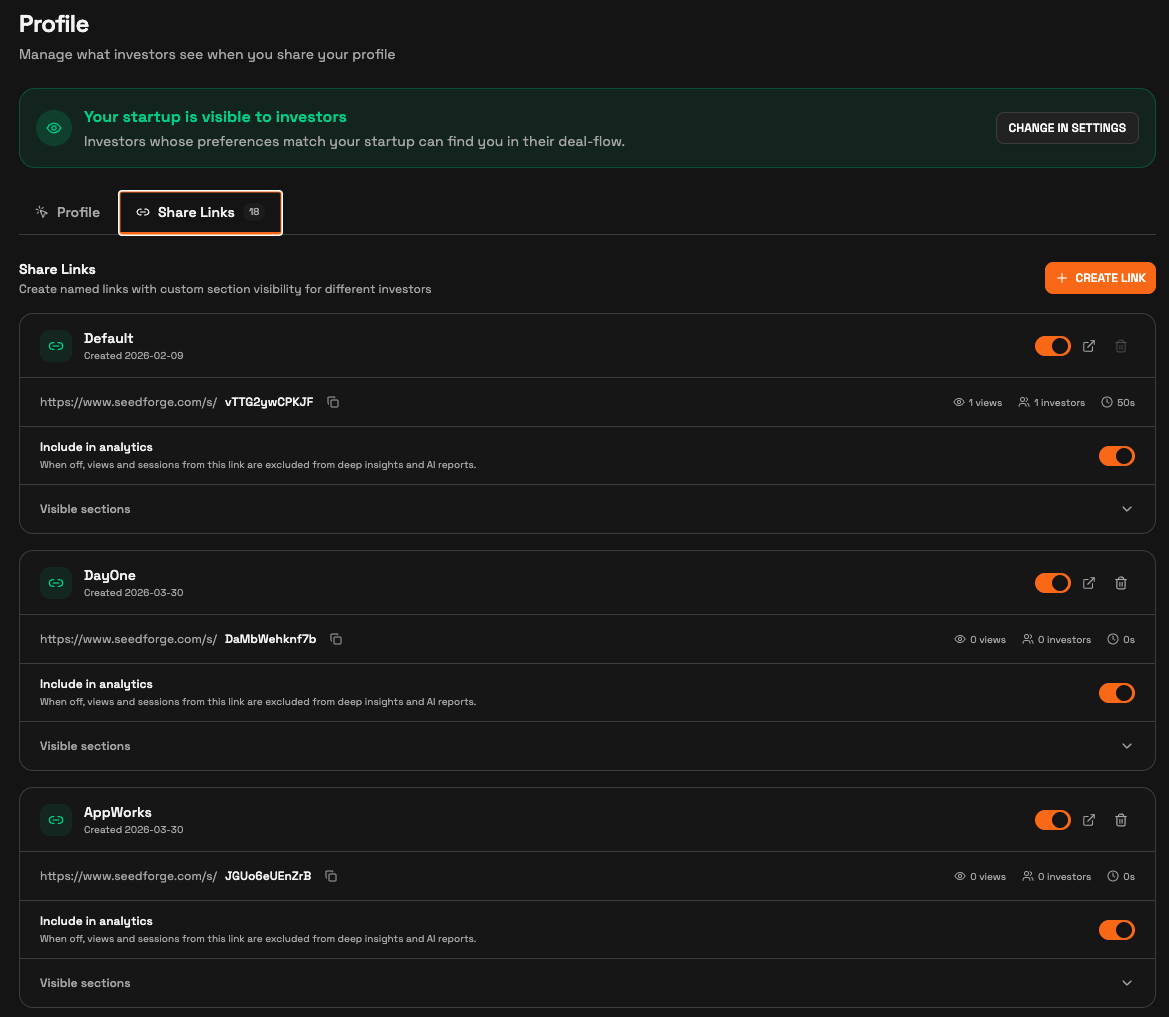
Choose the investor's link. Select that investor's named link, or click Create link to add one. A new link copies your Default link's sections.
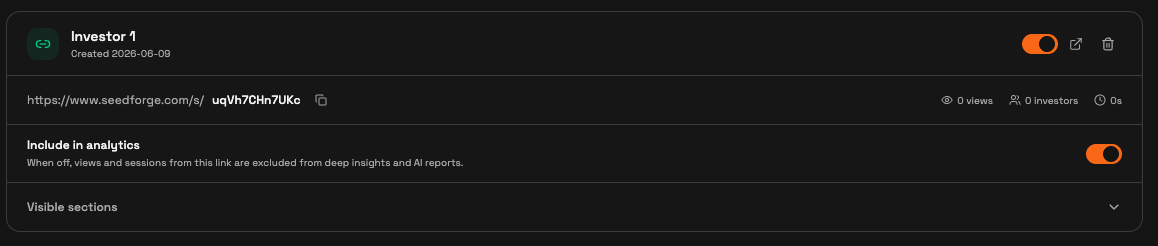
Open Visible sections. On that link, open Visible sections to see every toggle.
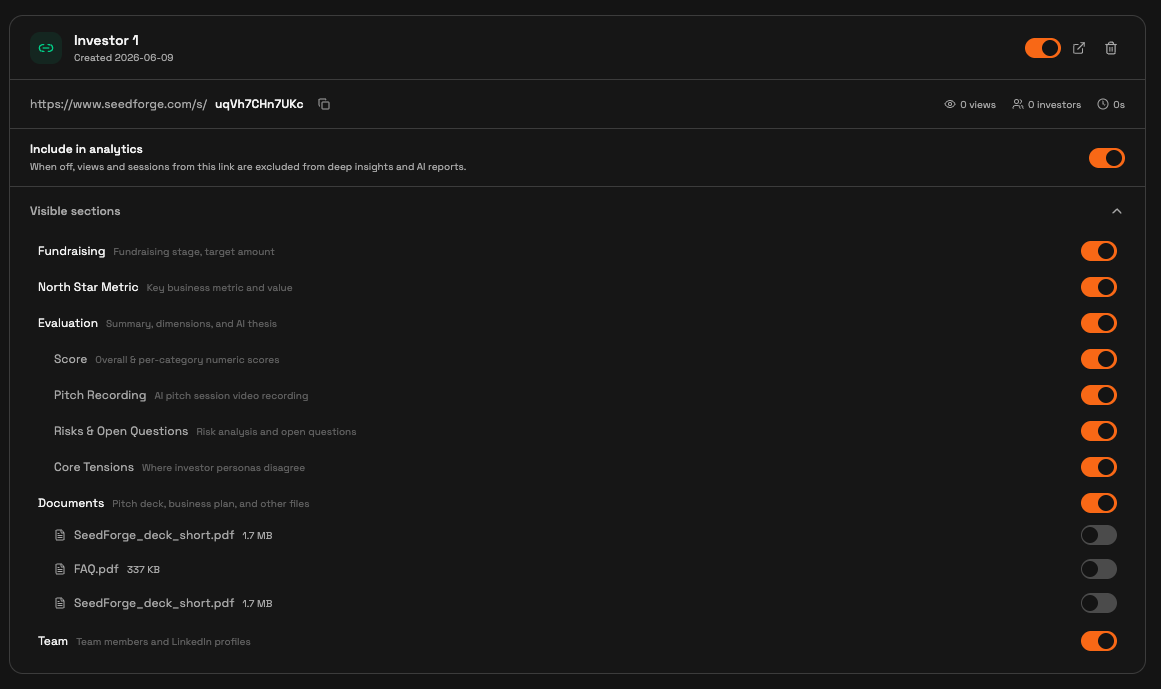
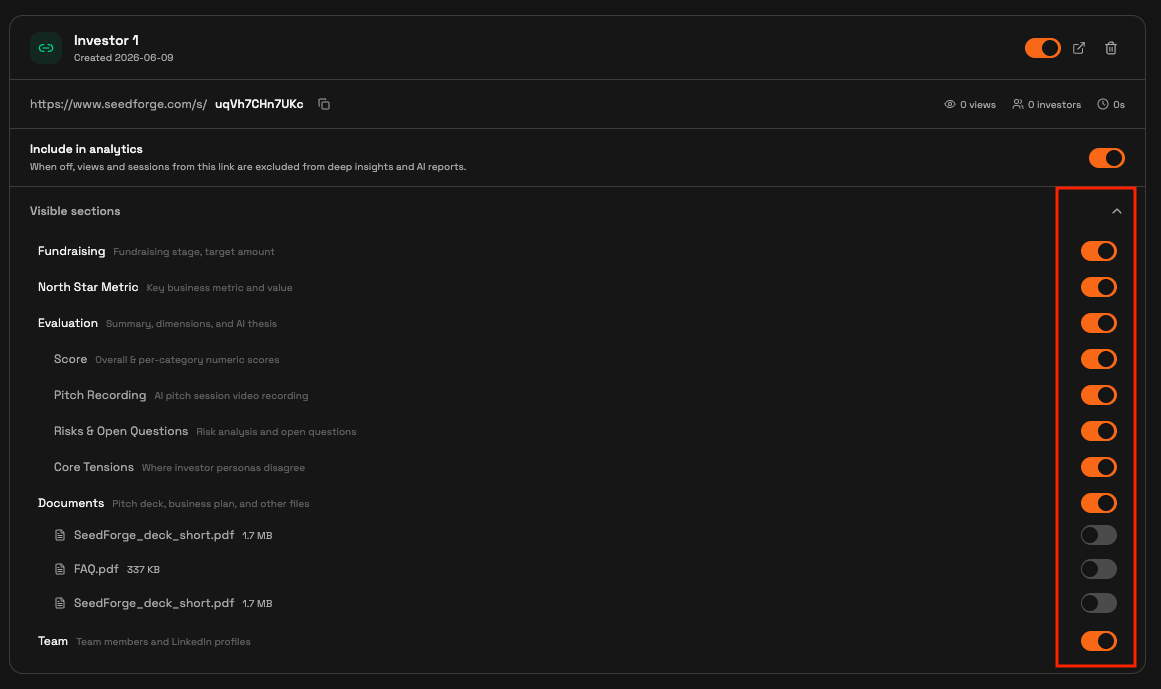
Turn each section on or off. Toggle whole sections: Fundraising, North Star Metric, Evaluation, Documents, and Team. To share part of a section, keep it on and use its inner toggles. Evaluation has Score, Pitch Recording, Risks & Open Questions, and Core Tensions. Documents has a toggle per file.
Preview, then send. Use the preview arrow to check what this investor sees, then copy the link and send it.

Changing or revoking access after you send
Changes take effect immediately. Turn a section off on a link an investor already holds, and it disappears from their view right away, even mid-visit.
To revoke a link, turn it off with its toggle in the Share Links tab. The investor then sees a "link not found" message and cannot open your profile. Turn it back on and the same link works again. Deleting a link with the trash icon does the same, and cannot be undone.

Note: Each link is independent. Turning a section off on one investor's link leaves every other link unchanged.
Quick answers
Can I show different sections to different investors?
Yes. Each investor opens their own link, which shows only the sections you turn on for it.
What does an investor see if I turn off their link?
A "link not found" message. Turn the link back on to restore the same link. Deleting it with the trash icon is permanent.
Can I hide my score but keep the rest of the Evaluation?
Yes. Keep Evaluation on and turn off its Score toggle. The other parts stay visible.