Only the people you choose. Your profile is never public on the open web. Those people are your workspace teammates, anyone you send a link to, and, if you opt in, matching investors.
When you set up your startup, SeedForge asks you to choose whether investors can discover you in dealflow. This choice is required, and you can change it anytime in Settings. If you decline, only people you send a link to can open your profile.
Anyone you send a link to can open your profile. Each investor gets their own link, and opening it always requires entering an email. You can disable any individual link at any time.
If you opt in to dealflow, investors whose sector, stage, and geography match your startup see your full profile, under the same default sharing settings as your links. They do not enter an email; SeedForge already knows who they are. They can watch your pitch recording and reach out, and your contact details stay private until you connect. Dealflow views are never charged, and today they do not appear in Deep Insights.
To change whether investors can discover you:
Open Settings. In the left menu, click Settings, then open the General tab.
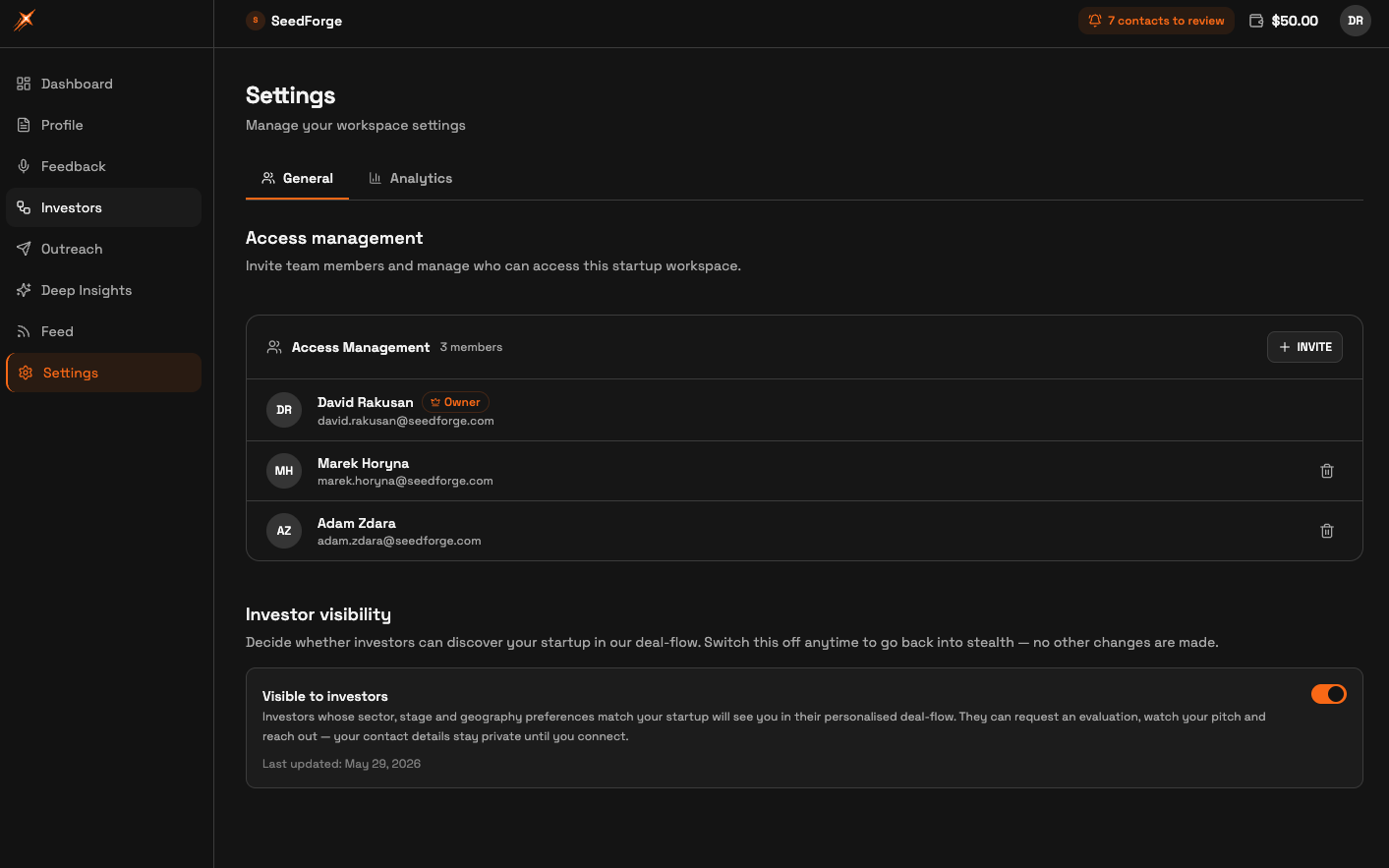
Find Investor visibility. Scroll to the Investor visibility section and the Visible to investors toggle.
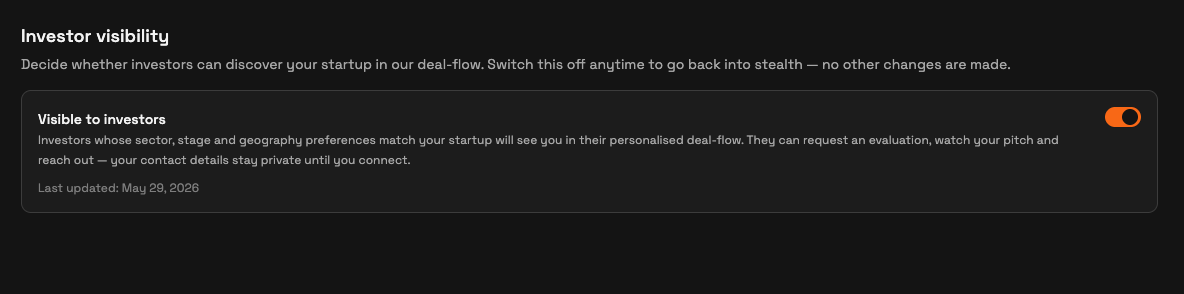
Set your visibility. Switch Visible to investors on to join dealflow, or off to return to stealth. Switching off changes nothing else.
Quick answers
Is my SeedForge profile public?
No. It has no public web page, and search engines cannot find it. People see it only through a link you send, or through dealflow if you turn that on.
Can investors find me without a link?
Only when you switch on Visible to investors. Then matching SeedForge investors can discover you in dealflow. Otherwise no one finds you without a link.
Does dealflow visibility cost anything?
No. It is free either way, and views from dealflow investors are never charged.