Open the Outreach page and check your campaign, because most stalls trace to one of a few causes below, each with a quick fix. Work down the list in order.
Give it a few hours, and check the day. Right after you launch, the first contacts take a few hours to move into Warming up. Each investor then gets about one day of warm-up before SeedForge sends the connection request and the card shows Reached out. Sending runs only 09:00 to 19:00 GMT, six days a week, Saturdays off, and ramps from 10 connection requests a day up to a maximum of 20. A quiet first day, or a silent Saturday, is normal. First results typically show in about one week.
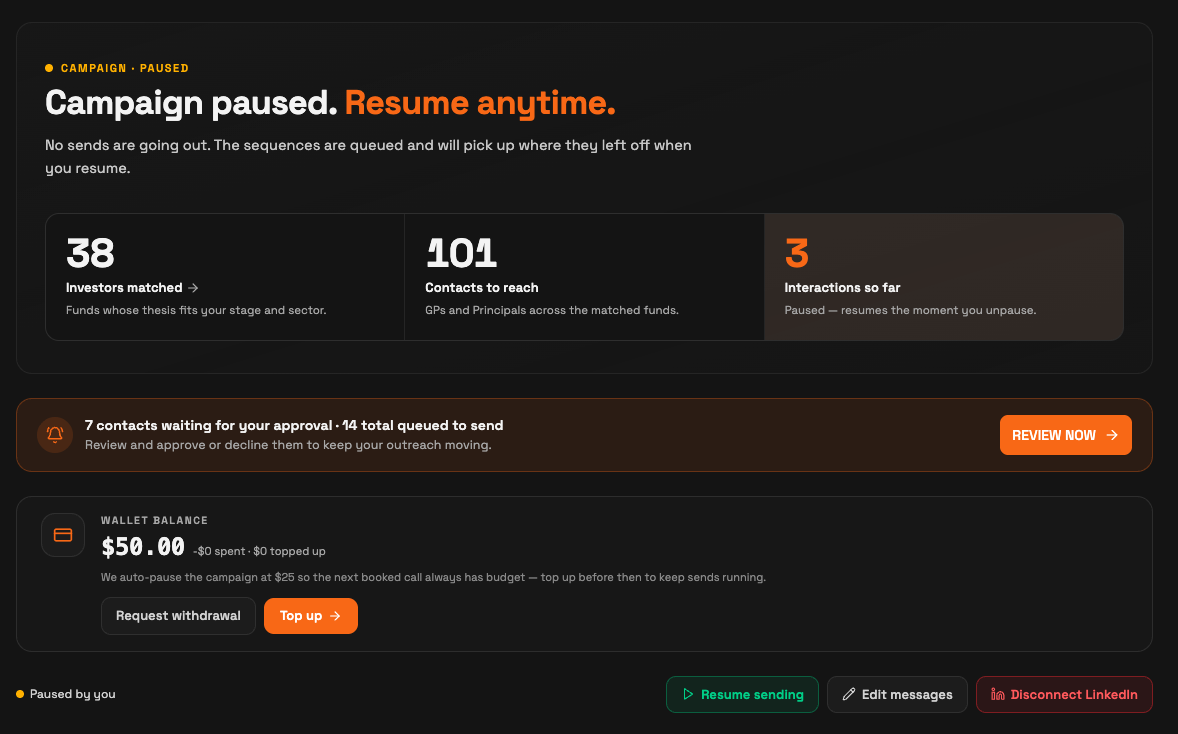
Make sure it is launched or resumed. On the Outreach page, look at the main control. If it reads Launch campaign, your campaign has not started, so click it. If you paused earlier, click Resume sending. While a campaign is paused, no new connection requests go out until you resume.
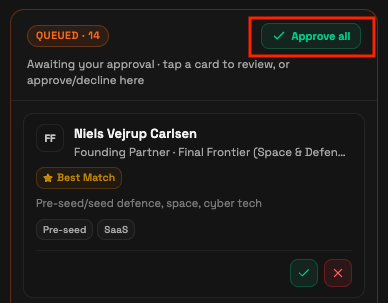
Approve at least one investor. Your campaign cannot start until at least one investor is approved. On the Outreach tab, open the Queued list and click Approve all, or approve investors one at a time.
Check your balance. After your free trial, your campaign pauses when your balance drops below $25, so an outcome always has budget. Open Billing, click Top up (a $50 minimum initial top-up, refundable anytime, no questions asked), then click Resume sending if the campaign is still paused.

Reconnect your LinkedIn if it dropped. If you changed your LinkedIn password, turned on two-factor authentication, or your sender disconnected, sending stops. Your campaign is saved. Open Outreach, reconnect your LinkedIn, or connect a different sender, and the campaign continues for your startup.
Ask support if your contacts ran out. If SeedForge has reached every matched investor, the campaign has nothing left to send. Email support@seedforge.com, and the team can help; investor coverage is expanding all the time.
Note: If you work through this list and the campaign still will not run, email support@seedforge.com with your startup name and what you see on the Outreach page.
Quick answers
Why is nothing happening right after I launch?
The first contacts take a few hours to reach Warming up, and each investor gets about one day of warm-up before the connection request. A quiet first day, or a Saturday with no sending, is normal.
Why did my campaign pause on its own?
It pauses when your balance drops below $25, so a booked call always has budget. Open Billing, click Top up, then click Resume sending.
My LinkedIn disconnected. Did I lose my campaign?
No. Your campaign is saved. Reconnect your LinkedIn, or connect a different sender, from the Outreach page and the campaign continues.