Click your wallet balance in the top right corner, then click Top up on the Billing page. Your campaign pauses when your balance drops below $25 so a booked call always has budget. Top up, then resume the campaign yourself.
Top up your wallet
Open Billing. Click your wallet balance in the top right corner of the app. The Billing page opens with your wallet balance card.
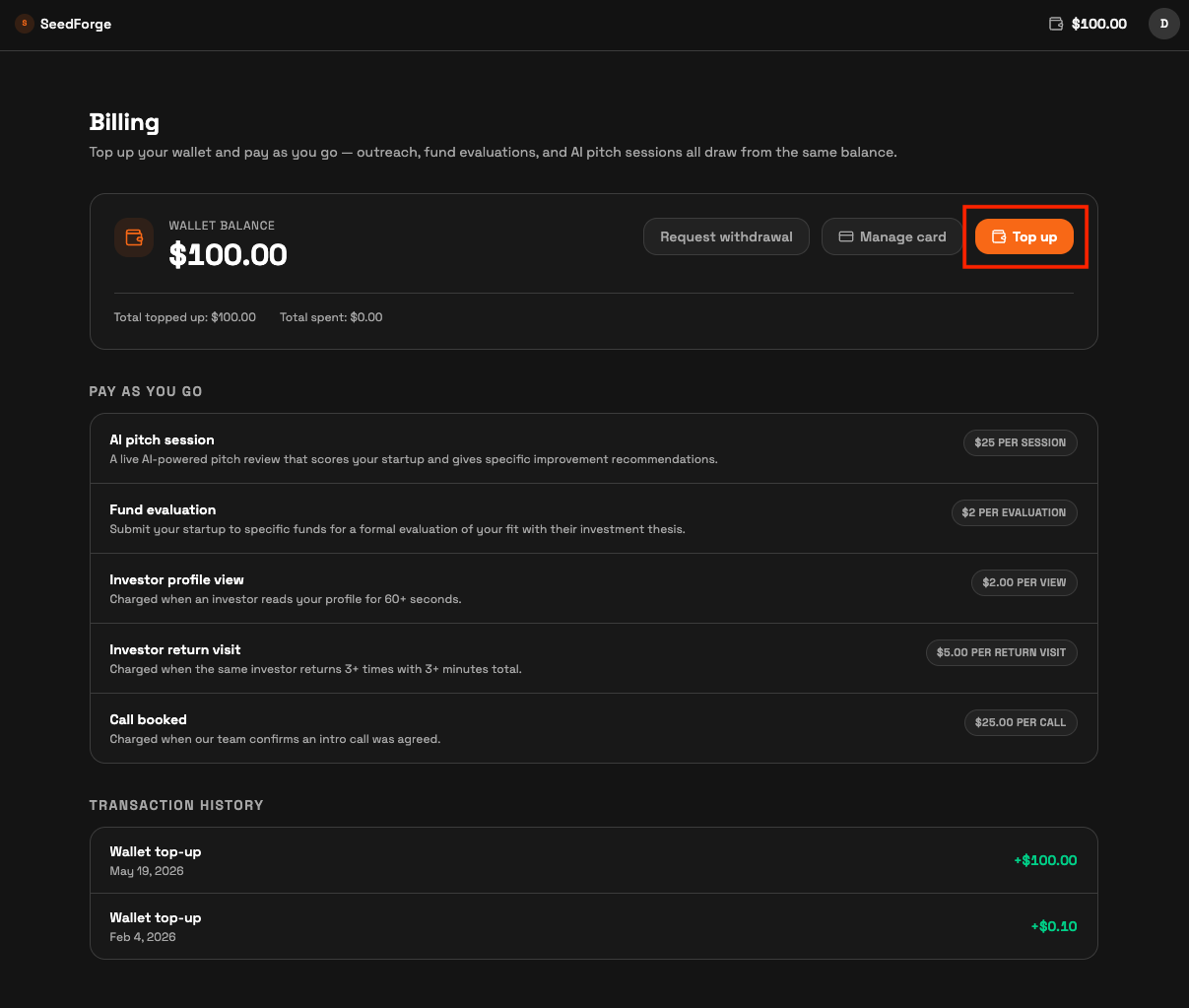
Click Top up. A window titled Top up your wallet opens with preset amounts of $50.00, $100.00, and $250.00, plus a Custom amount field.
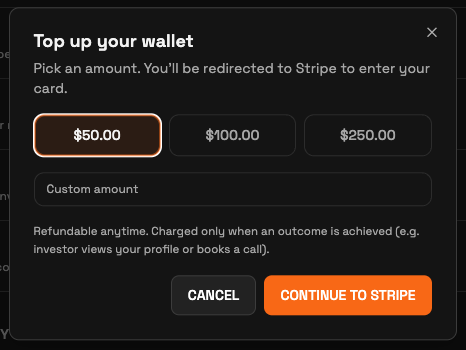
Pick an amount and click Continue to Stripe. You enter your card details on Stripe, the only payment method. After payment, your new balance shows on the wallet balance card.
Your first top-up is $50 minimum. Refundable anytime, no questions asked. Later top-ups can be any amount, as long as your balance stays above $25.
Why the campaign pauses at $25
The campaign pauses when your balance drops below $25 so a booked call always has budget. Your largest single charge is $10 per booked call or warm intro offered, and the pause guarantees the money is there when an investor agrees to meet or a founder agrees to intro you to the investor.
While the campaign is paused, no new connection requests are sent. Profile links already in investors' hands keep working, and engagement charges keep accruing from them.
After you top up, the campaign stays paused until you restart it. Open your campaign dashboard and click Resume sending.
Note: SeedForge does not currently send a low balance alert. Watch your wallet balance in the top right corner during a campaign.
Quick answers
What is the minimum top-up amount?
Your first top-up is $50 minimum. Later top-ups can be any amount, and your balance is refundable anytime, no questions asked.
Why did my campaign pause on its own?
The campaign pauses when your balance drops below $25 so a booked call or warm intro offered always has budget. Top up, then click Resume sending on your campaign dashboard.
Does my campaign restart automatically after a top-up?
No. Open your campaign dashboard and click Resume sending.