Every charge is listed in the Transaction history section of your Billing page. The same page shows your current wallet balance, your total topped up, and your total spent.
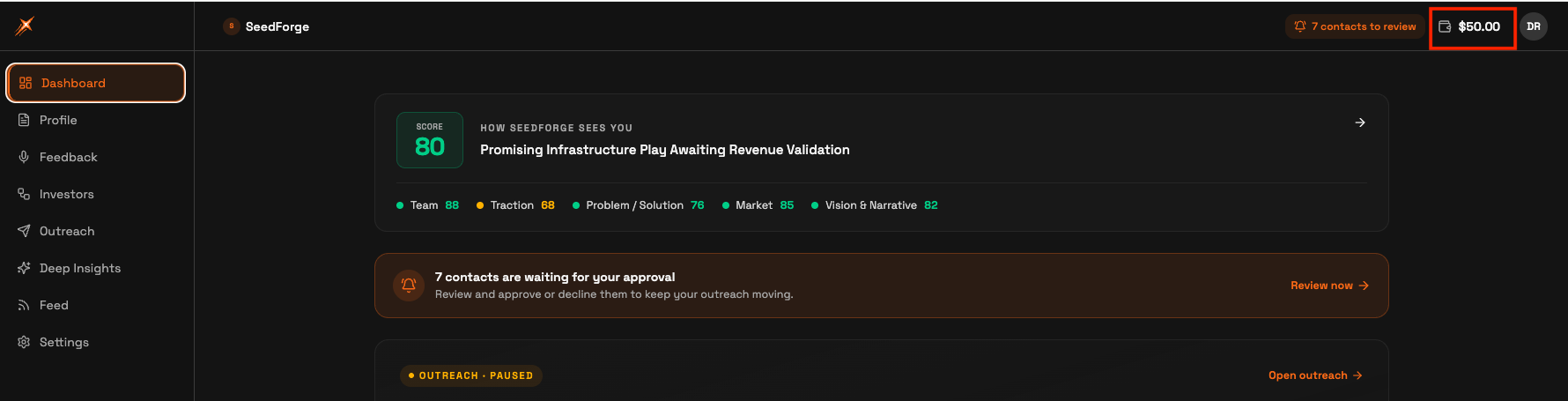
Open Billing. Click your wallet balance in the top right corner of the app.
Scroll down to Transaction history. It sits below the wallet card and the Pay as you go price list.
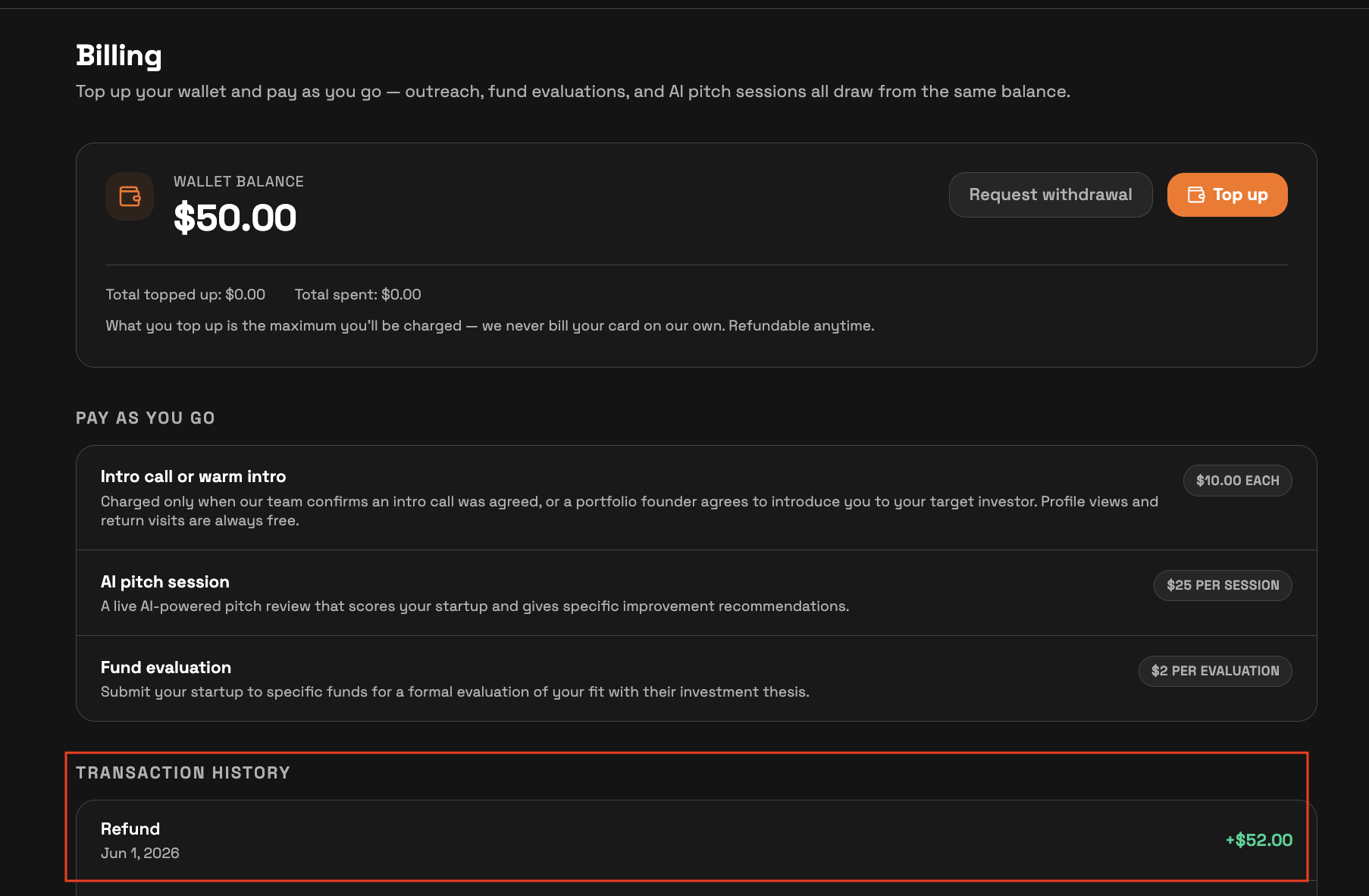
Each entry shows what the movement was, the date, and the amount. Entries appear as they are processed. Charges use the same labels as the Pay as you go list on the same page: AI Session, Call booked, and Warm intro offered.
The amounts behind those labels: $10 when a call is booked, and $10 when a warm intro is offered, each confirmed before charging. First AI Session is free; after that, sessions are $25 each. There are no charges during your free trial month.
The Transaction history shows every movement of your balance. Top-ups and refunds appear alongside charges, so the list always explains the gap between your total topped up and your current balance.
Note: If a charge looks wrong, write to support@seedforge.com and include the entry's date and amount.
Quick answers
How do I open my Billing page?
Click your wallet balance in the top right corner of the app.
Does the Transaction history show top-ups and refunds?
Yes. It lists every movement of your balance: charges, top-ups, and refunds, each with a date and an amount.
When does a charge show up in the Transaction history?
Each entry appears as soon as it is processed.