SeedForge is pay per outcome. You pay only when an investor takes a real step from your outreach: a call gets booked, or another founder offers you a warm intro. New founders run outreach free for a month, so the first month has no charges at all.
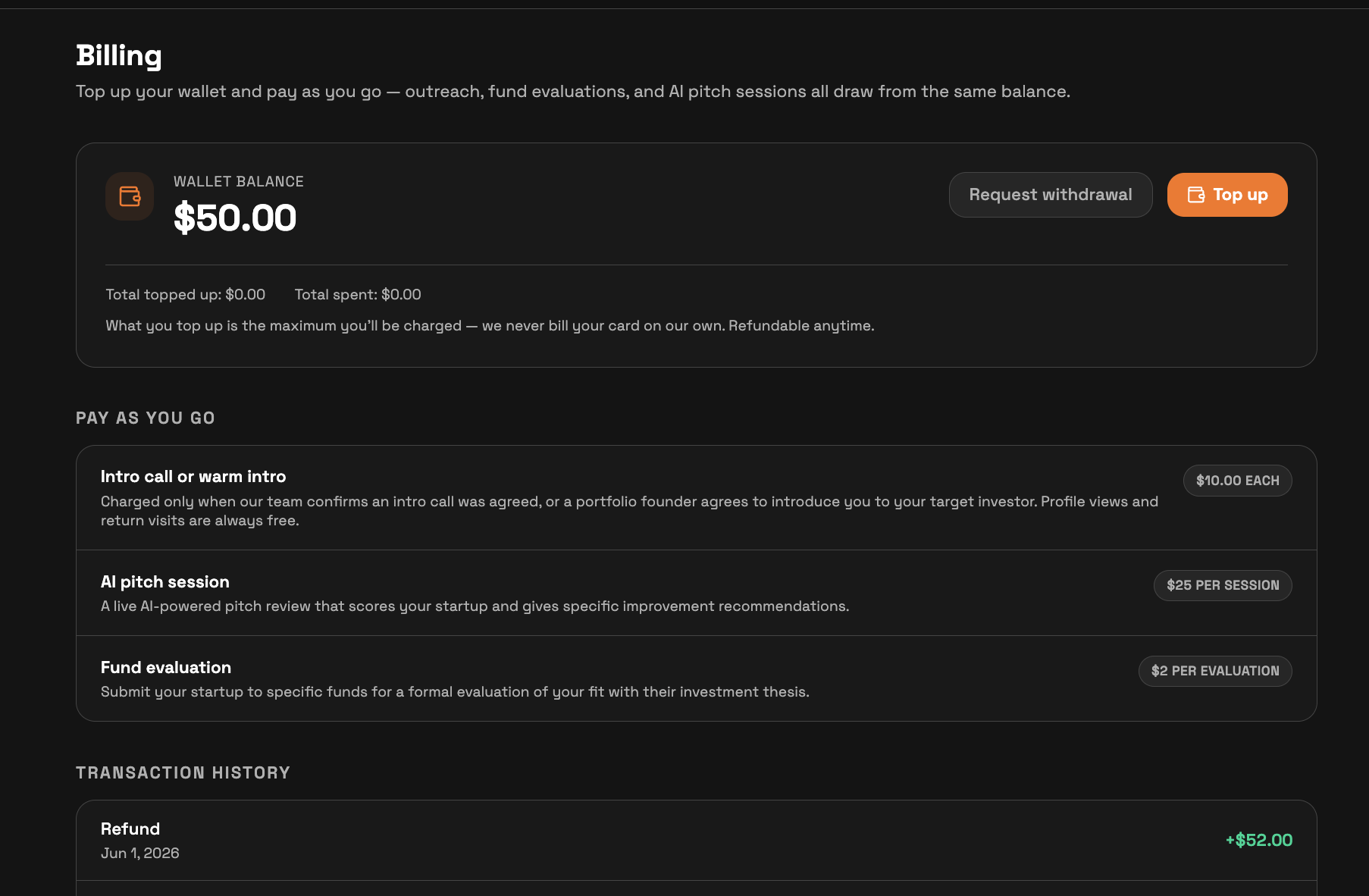
Free to use: Deep Insights is free. Your first AI Session is free ($25 each after). The full matched investor list, with a personalized message for every partner contact, unlocks free when you complete your SeedForge Profile. Connect your LinkedIn and your first month of outreach is free: no charges and no wallet deposit during the trial. After the trial, running outreach needs a $50 refundable wallet deposit, refundable anytime, no questions asked
After your free trial month, you pay a flat $10 per outcome, on two events only:
$10 when a call is booked with an investor.
$10 when a warm intro is offered: a founder already in a matched investor's portfolio agrees to introduce you to that investor.
Nothing else is charged. Profile views, repeat reads, and replies are all free.
You are charged only for outcomes from your outreach campaign. Views from SeedForge's investor network, and links you share yourself, are always free.
How we know when to charge
A call counts when the investor shares a calendar link or you agree a time in the chat. A warm intro counts when a founder in a matched investor's portfolio offers to introduce you to that investor. Each outcome is confirmed before the $10 charge.
A free trial example
In your free trial month, an investor named Maya opens your profile from an outreach message, reads it, and returns a few times. On day 12 she books a call. During the trial, all of that is free. After your trial, that booked call is a flat $10. The other $10 outcome is separate: SeedForge also reaches out to founders in a matched investor's portfolio and asks for a warm intro, and the $10 charges when one of those founders offers it. Profile views and repeat reads never carry a charge.
Funnel at a glance shows these events. Your balance and every rate sit on the Billing page.
Quick answers
Is the AI Session free?
First AI Session is free. After that, sessions are $25 each.
What is the most one investor can cost in engagement?
A flat $20, whether it is a booked call ond a warm intro offered. Profile views, repeat reads, and replies are free.